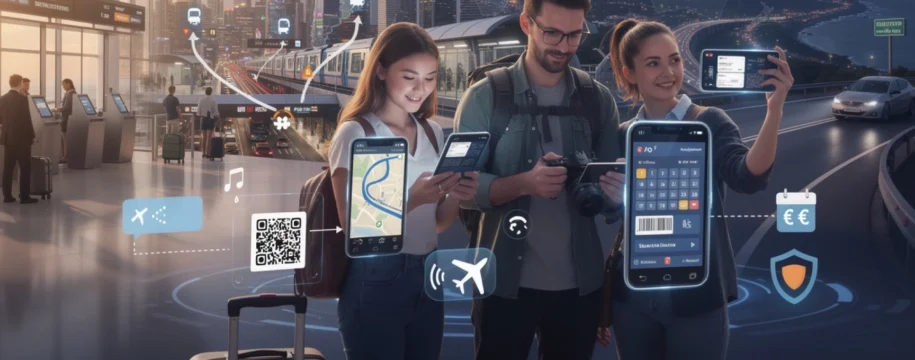
The landscape of global travel has undergone a seismic transformation over the past two decades, fundamentally reshaping how millions of people explore the world. At the heart of this revolution sits a device no larger than a passport: the smartphone. What once required multiple guidebooks, paper maps, phrase books, cameras, and countless hours with travel agents can now be accomplished with a few taps on a screen. This pocket-sized technology has evolved from a luxury convenience into an indispensable travel companion, fundamentally altering not just how we navigate foreign territories, but how we experience, document, and interact with new cultures entirely.
Modern smartphones have democratised international travel in ways that would have seemed impossible just a generation ago. Today, you can stand in a bustling Tokyo market, instantly translate menu items, pay contactlessly in local currency, navigate to your accommodation using real-time GPS, and share your experiences with loved ones halfway across the world—all from a single device. This technological convergence hasn’t merely made travel easier; it has opened up destinations previously considered too challenging for the average traveller, breaking down barriers of language, navigation, and financial complexity that once limited where people felt confident venturing.
Real-time navigation and geolocation technologies for international travel
Perhaps no single smartphone capability has transformed the travel experience more profoundly than GPS-enabled navigation. The anxiety of getting lost in an unfamiliar city—once an almost inevitable part of any journey—has been dramatically reduced by sophisticated mapping technologies that provide pinpoint accuracy anywhere on the planet. These systems don’t simply show you where you are; they analyse traffic patterns, suggest alternative routes, integrate public transport schedules, and even predict arrival times with remarkable precision.
The confidence that comes from having reliable navigation at your fingertips cannot be overstated. Travellers no longer need to meticulously plan every movement in advance or rely on potentially outdated paper maps. Instead, you can embrace spontaneity, following interesting side streets or pursuing recommendations from locals without fear of losing your way back. This freedom has fundamentally changed the psychology of exploration, encouraging deeper engagement with destinations rather than merely ticking off predetermined tourist attractions.
Google maps offline mode and Multi-Modal route planning
Google Maps has become virtually synonymous with smartphone navigation, and for good reason. Its offline mode represents a game-changing feature for international travellers who may face limited connectivity or exorbitant roaming charges. By downloading maps of your destination before departure, you maintain full navigation capabilities even in remote areas or when your data connection fails. The application stores detailed street layouts, points of interest, and even business information, ensuring you’re never truly disconnected from essential location services.
The multi-modal route planning functionality demonstrates the sophistication of modern navigation apps. Rather than simply offering driving directions, Google Maps seamlessly integrates walking routes, cycling paths, public transport options, and ride-sharing services into a single interface. You can compare journey times across different transport methods, view real-time public transport schedules, and receive notifications about delays or service disruptions. This comprehensive approach to navigation allows you to make informed decisions about how to traverse unfamiliar cities efficiently.
Citymapper integration for public transport networks in metropolitan areas
While Google Maps excels at general navigation, Citymapper has carved out a specialist niche by focusing intensively on urban public transport systems. Available in over 100 cities worldwide, this application provides hyper-detailed information about buses, trains, trams, ferries, and even bike-sharing schemes. What sets Citymapper apart is its real-time accuracy and local knowledge—it understands the quirks of individual transport networks, such as which Underground exits get you closest to your destination in London or which subway car positions save you time in New York.
The app’s “Get Me Somewhere” feature exemplifies intelligent design for travellers. Rather than requiring you to know specific station names or route numbers, you simply enter your destination and Citymapper calculates the fastest route using any available transport method. It even factors in walking speeds, step-free access requirements, and disruptions, then provides step-by-step guidance that updates dynamically as you travel. For visitors navigating complex metropolitan transport systems, this level of assistance transforms what could be an overwhelming experience into something manageable and stress-free.
GPS accuracy and what3words precision location technology</h
GPS accuracy and what3words precision location technology
Underpinning all of these navigation tools is GPS, a satellite-based system that can typically locate your smartphone within a radius of about 5–10 metres under clear skies. For most travellers, this level of GPS accuracy is more than sufficient for walking directions, hailing rides, or finding nearby cafés. However, in dense urban environments with tall buildings (often called “urban canyons”) or in remote regions with limited mobile infrastructure, GPS signals can degrade, leading to slower location fixes or slight positional errors. Understanding these limitations helps you interpret your map data more intelligently and avoid confusion when your blue dot appears to drift or “jump” on the screen.
To complement traditional GPS coordinates, the what3words system has introduced a novel approach to precision location. The company has divided the entire globe into 3m x 3m squares, each assigned a unique three-word combination such as ///index.home.raft. This makes it far easier to communicate exact meeting points, trailheads, or accommodation entrances, especially in countries or regions where street addressing is inconsistent or non-existent. Many emergency services, delivery companies, and travel operators now support what3words, meaning you can share your precise location quickly if you’re lost, stranded, or trying to describe a hard-to-find spot.
In practice, combining GPS navigation with what3words precision gives international travellers an additional layer of safety and convenience. You might use a traditional map to navigate to a national park, then rely on a what3words address to find the exact entrance to a remote lodge or campsite. Similarly, you can send your what3words location to a taxi driver, hiking guide, or accommodation host to ensure there is no ambiguity about where to meet. For solo travellers, this level of precision can be reassuring, allowing you to share your exact location with trusted contacts back home with a single message.
Waze community-driven traffic updates for road trips
For travellers who prefer the open road, Waze has become an essential smartphone app for navigation and traffic avoidance. Unlike traditional mapping tools that rely primarily on historic and sensor data, Waze uses a community-driven model where millions of drivers share real-time information about congestion, accidents, police checks, and road hazards. This crowdsourced intelligence allows the app to reroute you dynamically, helping you avoid delays and make more predictable progress on long drives across unfamiliar regions.
On international road trips, Waze can feel like having a local co-driver in the passenger seat, constantly scanning conditions ahead. The app not only shows you alternative routes but also provides realistic ETAs that adjust as conditions change, which is invaluable when you’re trying to make hotel check-in times or ferry departures. In many countries, Waze also integrates with fuel station data, enabling you to compare prices along your route and avoid unexpectedly high costs in tourist hotspots. Over the course of a multi-day trip, these small optimisations can save significant time and money.
However, relying on a community-driven navigation app also comes with considerations. In regions with fewer users, the real-time data may be less robust, and some countries place legal restrictions on features such as speed trap alerts. As a traveller, it’s wise to combine Waze with a more traditional navigation tool and always keep an eye on official road signage, especially when driving in unfamiliar jurisdictions. Used thoughtfully, though, Waze transforms smartphone-enabled road trips into smoother, more informed journeys, where you spend less time stuck in traffic and more time enjoying the landscapes you came to see.
Instant language translation and cross-cultural communication solutions
Language barriers have long been one of the most daunting aspects of international travel. Smartphones, powered by advanced translation technologies, are rapidly dissolving these barriers and enabling richer, more respectful interactions with locals. Instead of relying solely on phrasebooks or hand gestures, you can now translate text, speech, and even images in near real time, often with surprisingly high accuracy. This doesn’t replace the value of learning local phrases, but it does provide a powerful safety net when communication becomes complex or urgent.
What makes these tools so transformative is their accessibility: with just a few taps, your smartphone can interpret a bilingual conversation, decode a street sign, or help you understand medical information in an emergency. As neural machine translation models continue to improve, the quality of these translations edges closer to natural human speech, especially for widely spoken languages. For modern travellers, this means you can move beyond simply “getting by” and start having more meaningful exchanges about culture, history, and everyday life.
Google translate camera function for real-time sign recognition
One of the most impressive and practical features for travellers is Google Translate’s camera mode. By pointing your smartphone camera at signs, menus, tickets, or labels, the app can overlay instant translations directly onto your screen, often preserving the original layout. This augmented reality-style experience makes navigating foreign environments much less intimidating. You can scan a train timetable, understand safety notices, or decipher packaging in a supermarket without having to type anything manually.
For situations where every second counts—such as interpreting emergency instructions at an airport or reading dosage guidelines on medication—the ability to perform real-time sign recognition is invaluable. The camera function currently supports dozens of languages and can automatically detect the source language in many cases, further streamlining the process. Of course, translations are not always perfect, particularly for stylised fonts or complex sentences, but the app usually provides enough context for you to make informed decisions.
To get the best results from Google Translate’s camera mode while travelling, it helps to think like a photographer. Holding your phone steady, ensuring good lighting, and focusing on short sections of text will all improve accuracy. You can also capture a still image and highlight only the relevant portion of text, which is especially useful for long menus or multi-language signs. Used proactively, this tool turns your smartphone into a powerful interpreter for the built environment, allowing you to explore with greater independence.
Deepl neural machine translation for conversational accuracy
While Google Translate dominates the travel translation space, DeepL has earned a strong reputation for its high-quality translations in supported languages, particularly within European language pairs. Leveraging advanced neural machine translation technology, DeepL often produces more natural, context-aware output that feels closer to human speech. This can be particularly helpful when you’re drafting longer messages to accommodation hosts, contacting local service providers, or translating emails related to your trip.
Imagine needing to explain a nuanced issue—such as dietary restrictions, accessibility requirements, or booking changes—to someone who speaks another language. A literal word-for-word translation might create confusion, but DeepL’s context-sensitive engine can convey intent more accurately. The mobile app and web interface both allow you to paste or type text, then quickly swap between languages, making it easy to refine your message until it reads smoothly on both sides. For travel professionals, digital nomads, or long-term visitors, this enhanced conversational accuracy can be a significant advantage.
However, like all machine translation tools, DeepL has limitations and should be used with common sense. It currently supports fewer languages than some competitors, and it can still misinterpret slang, regional expressions, or highly technical terminology. When the stakes are high—for example, legal documents or complex medical information—it’s wise to double-check with a native speaker or professional translator where possible. Used for everyday travel communication, though, DeepL helps bridge linguistic gaps and reduces the risk of misunderstandings that might otherwise disrupt your plans.
Microsoft translator offline language packs for remote destinations
Connectivity is not always guaranteed when you travel off the beaten path, which is where Microsoft Translator’s offline capabilities come into their own. By downloading language packs to your smartphone before departure, you can access translation features even when you have no data connection. This is particularly useful for backpackers, adventure travellers, or anyone visiting regions with patchy mobile coverage, where online tools might fail just when you need them most.
Microsoft Translator supports text, voice, and image translation across a wide range of languages, with many of these functions working offline once the relevant pack is installed. While offline translations may be slightly less accurate than their online counterparts, they still provide a vital bridge to local communication. You can ask for directions, clarify prices, or explain basic health concerns even in remote villages or on mountain trails, where traditional translation apps dependent on constant connectivity might struggle.
To maximise the effectiveness of offline language packs, preparation is key. Before your trip, identify the main languages you’ll encounter and download those packs over Wi-Fi, checking that they are fully installed on your device. It’s also sensible to familiarise yourself with the app’s interface in advance, so you’re not learning how to use it in the middle of a stressful situation. In this way, Microsoft Translator turns your smartphone into a self-contained translation device that travels with you everywhere, regardless of network availability.
Itranslate voice-to-voice dialogue mode for face-to-face interactions
While text and camera translations are excellent for signage and written materials, many of the most rewarding travel experiences happen in conversation. iTranslate’s voice-to-voice dialogue mode is designed precisely for these face-to-face interactions, enabling you and another person to speak naturally while the app alternates between your languages. You speak into your smartphone, the app translates aloud, and then your conversation partner does the same in reverse, creating a fluid, almost real-time bilingual dialogue.
This functionality is especially powerful in scenarios where body language and tone matter, such as negotiating prices at markets, asking locals for recommendations, or having more personal conversations about culture and daily life. Instead of fumbling through phrasebooks or typing on a small screen, you can focus on eye contact and connection, letting the app handle the heavy lifting of translation. For shy or first-time travellers, this can reduce anxiety and encourage more interaction with the people you meet.
Of course, voice-to-voice translation technology is not perfect; there may be slight delays, misheard words, or occasional inaccuracies, particularly in noisy environments. It’s wise to speak clearly, avoid idioms, and confirm important details by repeating them in simpler terms. Nevertheless, the ability to hold a semi-natural conversation with someone who speaks a completely different language is nothing short of remarkable. In many ways, tools like iTranslate act as modern-day Rosetta Stones, allowing modern travellers to build bridges across cultures with just a smartphone in hand.
Contactless payment systems and digital wallet integration
Managing money abroad used to involve a complex mix of cash exchanges, traveller’s cheques, and high-fee card transactions. Smartphones, combined with modern fintech solutions, have dramatically simplified this aspect of international travel. Today, you can tap to pay at many merchants worldwide, hold multiple currencies in a single digital account, and track your spending in real time, all from your mobile device. This not only enhances convenience but also reduces the security risks associated with carrying large amounts of cash.
The global rise of contactless payment systems has accelerated since the late 2010s, with many countries now reporting that a majority of in-person card transactions are tap-to-pay. For travellers, this means you can often use the same digital wallets and apps abroad that you rely on at home, from metro turnstiles to cafés and museums. The result is a smoother, more predictable financial experience, where you can focus on your trip rather than on exchange rates, ATM fees, or lost receipts.
Apple pay and google pay NFC technology at international merchants
Apple Pay and Google Pay are at the forefront of this contactless revolution, enabling you to store your debit and credit cards securely in a digital wallet on your smartphone. Using Near Field Communication (NFC) technology, your phone communicates with payment terminals when you hold it close, allowing you to complete transactions without ever pulling out a physical card. This adds an extra layer of security, as your actual card number is never shared with the merchant; instead, a unique token is used for each payment.
For international travellers, this secure, tokenised system is particularly reassuring. If your phone is lost or stolen, you can remotely disable the wallet, whereas a misplaced card or wad of cash may be much harder to recover. Many major cities and tourist destinations now support Apple Pay and Google Pay across public transport networks, retail stores, restaurants, and attractions, making it possible to travel for days with minimal reliance on physical payment methods. In some cases, digital wallets can even offer better foreign exchange rates than traditional card swipes, depending on your bank’s policies.
That said, not every destination is equally advanced in terms of contactless infrastructure. In smaller towns or developing regions, cash may still be king, and some merchants may accept cards but not NFC payments. A balanced approach works best: lean on your smartphone wallet where possible for speed and security, but always keep a small reserve of local currency for emergencies, tips, or cash-only businesses. By doing so, you leverage the advantages of modern payment technology without being caught off guard when systems are less developed.
Revolut and wise multi-currency account management
Beyond simple tap-to-pay, digital banking platforms like Revolut and Wise (formerly TransferWise) have reshaped how travellers handle foreign currencies. These apps allow you to hold, convert, and spend multiple currencies from a single smartphone interface, often with exchange rates that closely track the mid-market rate. This can significantly reduce the hidden costs traditionally associated with international banking, such as poor exchange rates and high foreign transaction fees.
With Revolut or Wise, you can top up your account in your home currency, then convert funds to the currency of your destination in advance, sometimes locking in favourable rates. When you pay with the linked physical or virtual card abroad, the app automatically deducts the appropriate balance, providing instant notifications and spending summaries. This transparency helps you keep your travel budget under control and spot any unauthorised transactions quickly. For frequent travellers or digital nomads, the ability to manage multiple currencies in one place is a game-changer.
However, as with any financial service, it’s important to understand the terms and conditions, including limits, weekend mark-ups, and ATM withdrawal allowances. Not all merchants accept these fintech cards in every country, and there may be rare cases where a traditional bank card works better. Still, used strategically, multi-currency apps turn your smartphone into a portable, global bank, enabling smarter, more cost-effective spending wherever you roam.
Cryptocurrency wallets for cross-border transactions
For a subset of tech-savvy travellers, cryptocurrency wallets offer an alternative way to move value across borders. Mobile wallets that store digital assets such as Bitcoin or stablecoins can, in theory, allow you to bypass traditional banking systems entirely, transferring funds directly between peers. In countries with unstable currencies or strict capital controls, this can be appealing, and some travel-related businesses—particularly in the digital nomad and remote work spaces—are beginning to accept crypto payments.
In practice, though, using cryptocurrencies for everyday travel expenses remains a niche strategy with significant caveats. Price volatility can make budgeting difficult unless you rely on stablecoins pegged to major currencies, and on-the-ground acceptance is still limited outside specific hubs. Additionally, you must consider regulatory environments, tax implications, and the risk of irreversibly losing access to your funds if you misplace your private keys or recovery phrases.
For most modern travellers, crypto wallets are best seen as an optional complement to, rather than a replacement for, traditional payment methods. If you do choose to experiment with digital assets abroad, it’s wise to keep only a small proportion of your travel funds in this form and to maintain robust security practices on your smartphone. Done thoughtfully, cryptocurrency can offer interesting flexibility for certain types of cross-border transactions, but it is not yet a mainstream solution for everyday tourism spending.
Mobile boarding passes and digital travel document management
Airports, train stations, and border crossings used to be dominated by paper—boarding passes, printed tickets, hotel confirmations, and visa documentation. Smartphones have radically streamlined this process by digitising travel documents and centralising them in one easily accessible place. Mobile boarding passes, accessible via airline apps or digital wallets, are now widely accepted around the world, allowing you to check in online, skip printing queues, and glide through security with just a scan of your screen.
Beyond boarding, digital document management tools let you store copies of passports, visas, insurance policies, and vaccination certificates securely on your phone. Cloud-synchronised storage solutions mean that if your device is lost or damaged, you can still access vital information from another device or a web browser. This redundancy can make a significant difference in stressful situations, such as lost passports or medical emergencies abroad, where having quick access to documentation can speed up assistance.
To use mobile travel documents effectively, organisation and security are crucial. Creating dedicated folders or using travel-specific apps helps you keep everything from QR-coded train tickets to hotel confirmations neatly sorted by date and destination. Enabling device-level security—such as biometric locks and remote wipe—protects sensitive information if your smartphone falls into the wrong hands. When combined with cloud backups and password managers, your phone becomes a secure, always-available filing cabinet for your entire trip.
Cloud-based itinerary synchronisation and trip planning applications
Planning a modern trip often involves dozens of moving parts: flights, accommodation, activities, restaurant bookings, and local transport connections. Cloud-based itinerary apps harness the power of smartphones to pull all these elements together into a single, synchronised view. Instead of juggling multiple confirmation emails and PDFs, you can see your entire journey laid out chronologically, complete with maps, check-in details, and alerts. This not only reduces stress but also makes it easier to adapt when plans inevitably change.
Because these tools are cloud-based, any updates you make on your laptop sync automatically to your phone and vice versa. If a flight is delayed, a reservation is rescheduled, or you add a new activity, your itinerary updates in real time across all devices. For group travel, some apps even allow shared itineraries, so everyone has access to the same information and can see changes immediately. In effect, your smartphone becomes both a planning hub before departure and a dynamic command centre on the road.
Tripit pro automatic itinerary creation from email confirmations
TripIt Pro is a standout example of how automation can simplify travel planning. After you connect the app to your email account, it automatically scans for booking confirmations—from airlines, hotels, car rental companies, and tour operators—and compiles them into an organised master itinerary. Instead of manually copying details into a spreadsheet or calendar, you simply forward confirmation emails to TripIt, which extracts key information such as times, addresses, and booking references.
For frequent travellers, this automatic itinerary creation can save hours of administrative work and reduce the risk of overlooking an important detail. TripIt Pro adds further value with real-time flight alerts, seat tracking, and terminal or gate change notifications, delivered straight to your smartphone. It can also provide alternative flight suggestions in case of disruptions, giving you options before you even reach the airline desk. All of this reduces friction at critical moments and helps you stay one step ahead during complex travel days.
To get the most from TripIt, it’s helpful to treat it as your single source of truth for logistics. Keeping the app updated, verifying imported details, and referencing it before making schedule changes ensures that your digital itinerary always reflects reality. When combined with your smartphone’s calendar and maps, TripIt Pro effectively turns your device into a personal travel assistant, quietly orchestrating the background details so you can focus on enjoying the journey.
Google trips integration with gmail and calendar ecosystems
Although Google has retired its standalone Google Trips app, many of its most useful features have been integrated directly into Gmail, Google Maps, and Google Calendar. When you receive flight, hotel, or restaurant confirmations in Gmail, Google’s systems automatically recognise and surface these details within Maps and Calendar, creating a de facto trip overview that’s accessible across your devices. For travellers already embedded in the Google ecosystem, this offers a seamless, low-effort way to keep plans synchronised.
In practice, this means you can open Google Maps on your smartphone and see upcoming reservations plotted on a map, complete with dates and directions. Calendar entries generated from confirmation emails remind you of departure times, check-ins, and activities, often including useful extras like booking reference numbers and contact details. Because everything is tied to your Google account, there’s no need to manually import or forward emails to a third-party service—the system works quietly in the background.
For privacy-conscious travellers, it’s worth reviewing your Google account settings to ensure you’re comfortable with how your travel data is used and stored. You can choose to limit or disable certain features if desired, though this may reduce the level of automatic integration. Used thoughtfully, the Gmail–Maps–Calendar trio allows your smartphone to act as a cohesive travel dashboard, surfacing the right information at the right time without constant manual input.
Sygic travel offline trip planner with custom route mapping
For travellers who like to design detailed itineraries and explore offline, Sygic Travel (now often branded as Sygic Maps) offers robust planning tools combined with downloadable maps. You can research attractions, create day-by-day plans, and then sync everything to your smartphone for offline use. This is particularly useful in destinations where roaming charges are high or connectivity is unreliable, as your routes, points of interest, and notes remain fully accessible without data.
Sygic Travel excels at custom route mapping, allowing you to cluster sights geographically and minimise backtracking. For example, you can plan a walking tour that connects key landmarks, coffee stops, and viewpoints into a logical loop, then follow it on your phone like a personal guidebook. The app also provides estimated times, distances, and opening hours, helping you build realistic days rather than overloading your schedule. In many cities, curated guides and user reviews offer additional insight into lesser-known spots.
One of the main advantages of an offline trip planner is the ability to stay present in the moment while still feeling in control of your plans. Instead of constantly searching the web for “things to do nearby,” you can trust the itinerary you created earlier, adapting it as needed on the ground. For solo travellers or those visiting multiple countries in one trip, having a structured yet flexible plan tucked into your smartphone can be the difference between feeling overwhelmed and feeling empowered.
Emergency connectivity and safety features for solo travellers
Safety is a paramount concern for many modern travellers, particularly those exploring alone or venturing into unfamiliar regions. Smartphones, when configured correctly, provide a powerful set of tools that can significantly enhance personal security. From sharing your live location with trusted contacts to triggering emergency SOS alerts, your device can act as both an early warning system and a lifeline if something goes wrong. As more travel apps integrate safety features, the line between navigation, communication, and personal protection continues to blur.
Many popular messaging platforms, including WhatsApp and iMessage, allow you to share your real-time location with friends or family for a specified period. This means that, with your consent, someone you trust can see where you are on a map as you move through a city or hike a remote trail. Combined with regular check-ins and clear communication about your plans, this kind of passive monitoring can offer peace of mind to both you and those back home. In essence, your smartphone acts as a digital breadcrumb trail, reassuring others that you’re on track.
Modern smartphones also include system-level emergency features that can be configured before departure. On both iOS and Android, you can set up emergency contacts, medical ID information, and quick-access SOS shortcuts that call local emergency services and share your location when activated. Some devices and wearable integrations can detect potential accidents—such as severe falls or car crashes—and prompt you to confirm that you’re okay. If you don’t respond, the device may automatically contact emergency services and notify your designated contacts, which can be invaluable if you’re travelling solo.
For added security, a growing ecosystem of safety-focused apps caters specifically to travellers. These may offer features such as local safety ratings for neighbourhoods, real-time alerts about protests or natural disasters, and direct connections to emergency hotlines in the countries you visit. Before you travel, it’s wise to research which apps are most relevant to your destination and to download any offline resources you might need, such as maps or country-specific emergency numbers. With a little preparation, your smartphone becomes not just a tool for convenience, but a comprehensive safety net.
Finally, digital safety is as important as physical safety. Using secure Wi-Fi connections, enabling VPNs on public networks, and activating features like two-factor authentication help protect your accounts and data while abroad. Losing access to your email, banking apps, or cloud storage can be disruptive at the best of times, but during a trip it can quickly escalate into a serious issue. By treating your smartphone as both a travel companion and a critical security device—and by configuring its emergency and privacy settings in advance—you equip yourself to handle the unexpected with far greater confidence wherever your journeys take you.